AI Shopping Agents in 2026: What Fashion Brands Need to Know.
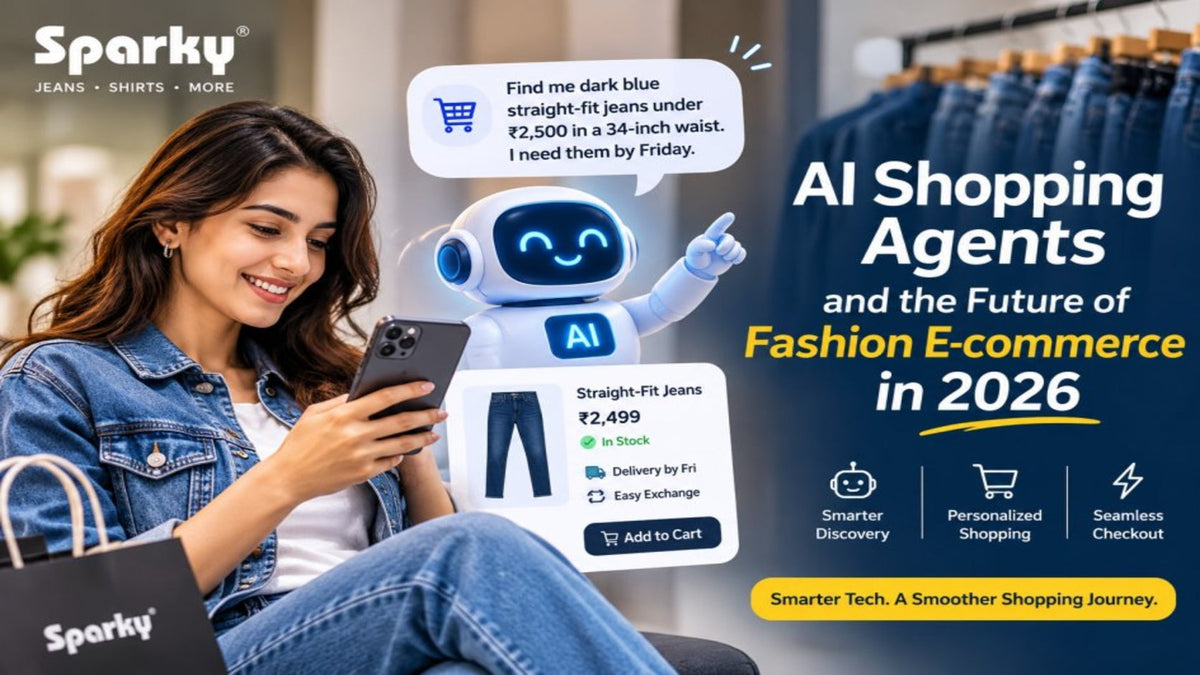
A shopper looking for jeans might open an AI assistant and type, “Find me dark blue straight-fit jeans under ₹2,500 in a 34-inch waist. I need them by Friday, and I want to be able to exchange them if they’re too tight.” On a fashion website, that request normally means choosing a category, setting filters, opening a few size charts, checking a PIN code and reading the exchange policy. A shopping agent can bring several of those steps into one conversation. The brand still has to supply the answers.
That last part deserves more attention than the novelty of the technology. A product page might show the right jeans and still leave enough room for a bad recommendation. The 34-inch waist could be sold out. The image might show a darker wash than the one attached to that size. Friday delivery could be possible in Delhi but out of reach for the shopper’s PIN code. A search result can leave those questions for the customer to investigate. An agent is often asked to settle them.
The opportunity for fashion brands in 2026 is to earn a place in that conversation. A useful starting point is a small group of products whose fit, availability and terms the business can describe precisely. That work has immediate value on the brand’s own website, even while new shopping channels are still being rolled out.
What an AI shopping agent actually does
An AI shopping agent turns a request in everyday language into a series of shopping tasks. It might interpret a budget, search a product catalogue, compare alternatives and ask whether the customer would consider a different colour. Depending on the integration, it might also add a selected size to a cart or help complete checkout after the customer approves the purchase. A customer can move from a broad idea, such as “something to wear on a long flight,” to a comparison between two pairs of trousers without starting the search over.
The experience depends on where the agent shops. One assistant may draw on product pages and send the customer to the retailer’s website. Another may get a structured catalogue feed and show offers inside the chat. A third may have access to a cart or checkout through a participating platform. A brand should therefore treat discovery, cart creation and payment as separate capabilities. The fact that a tool can find a jacket says little about whether it can check stock for a particular size or take payment in a given country.
Fashion also gives the agent a harder job than sorting products by price. “Relaxed” means different things across brands. Someone who wants room through the thighs may be happy with a straight leg, while someone asking for a relaxed look might want extra volume all the way down. An agent can narrow the field if a catalogue makes those distinctions clear. When the only description is “premium comfort fit,” it has much less to work with.
What changed in 2026
On 28 October, Shopify announced that developers could access its catalogue, cart and checkout through a single connection for apps and shopping agents. The company also described tools that let browser agents interact with supported Shopify storefronts through structured actions, including product search and cart updates. For a merchant, the practical point is that an external interface can use store capabilities directly where the integration supports them. The catalogue and the rules behind checkout carry more of the experience. [1]
Google’s Universal Commerce Protocol provides another example. It gives participating systems a common way to exchange shopping information and supports a checkout feature on eligible listings. Google’s Merchant Center documentation describes the feature for select merchants and eligible products in the United States, Canada and Australia, on surfaces such as AI Mode in Search and Gemini. An Indian fashion brand can follow that development while making plans around the features it can actually use in its own market. [2]
Fashion retailers are also building experiences of their own. On 3 November, Reuters reported that Zalando had launched its first AI shopping agent. It also reported a pilot involving home furnishings retailer Westwing and said AI-assisted checkout for Zalando’s planned service was expected in 2027. The launch and the checkout plan are at different stages. That distinction matters when a brand uses industry announcements to decide what to put on its roadmap. [3]
Taken together, these developments give merchants two routes to watch. A retailer can help shoppers make decisions within its own store, and it can prepare its catalogue for assistants customers already use elsewhere. Both routes depend on the same product facts. That makes the catalogue a sensible place to invest before choosing a particular platform or committing engineering time to checkout.
Write product data around the questions people ask
Start with one product family. Imagine a straight-fit jean sold in two washes and six waist sizes. The catalogue should group those variants under the same style and give each purchasable combination its own identifier. The dark indigo jean in a 34-inch waist has its own availability, price and relevant images. If only size 32 is in stock, the listing for size 34 should make that clear. A parent listing that simply says “in stock” can hide the exact detail that determines whether a recommendation is useful.
Google Merchant Center’s product data specification is one concrete reference for organising this information. It defines fields for variant grouping, colour, size, price and availability, among other attributes. The exact requirements depend on the destination and market, so use the specification that applies to your feed. The broader practice works across channels. Give each variant a stable identity, use consistent attribute values and check that the feed agrees with the product page and checkout. [4]
Product titles should carry the terms a shopper would use to recognise an item. “Men’s Dark Indigo Straight-Fit Jeans” identifies the garment, wash and fit in a few words. A colour name with character can still have a place. If the team calls a wash “Midnight River,” the customer-facing name can sit alongside a standard colour such as dark indigo in the appropriate field. Otherwise, shoppers comparing dark blue denim may miss the product because the catalogue relies on an internal name.
Descriptions are where the catalogue can answer questions that a filter can’t. If the fit has a mid rise and a consistent leg width from knee to hem, say so where the specifications support it. If the fabric stretches, give the confirmed composition or describe the stretch in terms the product team uses consistently. For waist size, distinguish the label from the measured garment where both are available. A brand may also want to publish an inseam and explain how it was measured. That small detail matters to a customer choosing between a clean break at the shoe and a cropped look.
Use customer-service conversations to decide what to add. If customers keep asking whether a light jacket has an inside pocket, check the sample and add the answer. If shoppers routinely ask whether the black jeans are solid black or faded charcoal, record the shade where it can be compared with the photo. A catalogue team can collect a month of repeated questions, group them by style and fill the gaps that affect buying decisions first.
Make the photos and size guide tell the same story
Fashion brands sell visually, and the image still does work that a product feed can’t. The back view shows pocket placement. The side profile shows how a leg falls. A close-up can make the difference between a flat dark wash and one with visible fading. When an assistant presents a shortlist of three products, the lead photo might be the first thing a shopper uses to rule an item in or out.
Assign images to the correct colour and keep the core views consistent. For denim, a useful set includes a full front, a full back, a side view and a clear detail shot of the denim and construction. Use the same visual treatment across colour variants so the customer can compare washes. If retouching shifts black denim towards grey or smooths away the fabric texture, the product can look different when it arrives. Check colour against the actual garment, especially if a catalogue team uses generated or heavily edited imagery.
Model photos can help shoppers judge proportion when the product page includes the model’s height and the size worn. A size chart should also state whether the numbers refer to body measurements or the finished garment. A shopper with a 34-inch waist may read the same number very differently depending on that label. Put the explanation where it can be read as text. An image of a size chart may still serve customers visually, but a text version is easier to maintain, read on a phone and reuse in another shopping interface.
A sensible approval check is to put the sample, product photos, variant record and size chart in front of the person signing off on a style. Ask them to pick a size and describe what the customer would receive using only the listing. If they have to ask the buying team for the real inseam or open a messaging thread to confirm the colour, the product page has another revision to go.
Keep stock and delivery promises tied to the order
A brand that dispatches from stores has more moving parts than its product page can show. Consider a size 34 jean with one unit available in a nearby shop. Someone could buy it at the counter after the inventory feed updates but before an online order is placed. Or the system could show one unit that the store team can’t locate. Sending an agent the national stock count without the fulfilment context can make either scenario look like a product that will arrive on Friday.
The team needs to know which system supplies stock, how often updates reach each channel and when the delivery estimate becomes reliable. If stock or serviceability can only be confirmed at checkout, the earlier experience should show a conditional estimate. The same applies to cash on delivery. A brand might offer COD in general while limiting it by PIN code, order value or channel. A shopper who specifically asks for COD needs an answer for the order they are trying to place.
Test changes using the same product across the storefront, feed and checkout. Set a variant out of stock and see when each surface stops showing it as available. Apply a promotion and check whether the displayed price matches the cart for that size. Try a serviceable PIN code and another the brand doesn’t cover. These checks are especially useful before a sale, when prices change quickly and the styles getting the most attention are often the ones most likely to sell out.
Consider how cancellation and exchange rules travel with the offer. A policy may allow size exchanges on full-price denim and apply different terms to a clearance item. Spell out the window, when it starts and any conditions that affect eligibility. If a different sales channel has its own rules, direct the customer to the policy that applies to that purchase. The associate handling an exchange should be able to trace the terms the customer saw.
Decide what information the assistant needs at each step. A shopper can ask about the difference between two fits without giving a name or phone number. A PIN code can help check serviceability, while the full address belongs in the ordering step. If the assistant can change a cart, test whether the customer can see the exact size, colour, quantity and total before authorising payment. After purchase, the order confirmation should identify the merchant and show how to get help. A shopper who wants to exchange those jeans should be able to tell which team handles the request, even if the purchase started in a different app.
Give shoppers a reason to choose your brand
A conversation can make products look interchangeable. When an agent puts three dark blue jeans under ₹2,500 side by side, a vague description leaves the customer comparing price and thumbnails. A product with clear information can compete on more useful grounds. One style may have more room at the thigh. Another may come in a shorter inseam. Another may have a better option for a shopper who expects to exchange the size.
The fashion team can give the assistant useful material without giving up the brand’s voice. A fit guide can describe how two of the brand’s cuts differ on the same model and explain who might prefer each. A style guide can show how a dark straight leg works with sneakers and how a tapered cut falls around the ankle. Keep the fit measurements and care instructions easy to find so customers can check the details behind the editorial advice.
Avoid filling a product description with terms it can’t support. Calling the same jean skinny, slim, straight and relaxed to capture more searches makes the choice harder. A customer who asked for room through the thigh could end up returning the wrong cut. Put the best fit term on the listing and describe the shape in ordinary language. If a wash varies slightly between pieces, explain the variation using the information your team can verify.
The same approach helps when the assistant recommends a competitor. Review the comparison for missing information before assuming the problem is ranking. If another brand’s recommendation includes the inseam and yours doesn’t, there’s a specific gap you can fix. If the shopper’s size is sold out, there may be nothing wrong with the recommendation at all. The catalogue should make it easy to offer a suitable alternative, such as the same fit in another dark wash.
Run a small pilot and measure what customers receive
Choose a category with enough volume to observe, such as men’s jeans, and start with a manageable group of frequently sold styles. Have someone from merchandising verify product attributes and someone from operations check stock, delivery and exchange terms. Include customer support in the review. They can often point to the exact detail a shopper misunderstood after placing an order.
Build a set of realistic prompts from the questions the business already receives. A shopper might want black jeans for the office, a straight fit in size 34 under ₹2,500, or a dark wash that can arrive before the weekend. Add requests where the correct response is to ask a follow-up question or explain that there is no match. Include a size that has sold out, an address outside the service area and a discounted style with different exchange terms. Record what the assistant shows and verify it against the live product record and cart.
Measure recommendation accuracy at the level of the variant. For example, count how often every stated requirement is satisfied among prompts that have a valid match. Separately record whether the assistant handles requests with no eligible product correctly. If a connection supports checkout, track wrong-variant carts, price differences and failures to carry over delivery details. Group the mistakes by cause so the next update can fix a specific field, feed delay or integration problem.
Once orders come through a pilot, compare conversion alongside the results that show up after checkout. Look at stock cancellations, size exchanges, refunds and support contacts. If you can identify the referring source, compare similar products over similar periods and note differences in discount and stock. If attribution is incomplete, report it that way. A jump in sales during a festival promotion has several possible explanations, especially when paid ads, offers and assortment have changed at the same time.
Agree in advance on the problems that would pause expansion. A handful of rough product summaries may be manageable during a trial. Repeated wrong prices or incorrect sizes added to carts warrant a closer look before adding more products. A weekly review of actual failures gives the catalogue and operations teams a reason to keep the pilot small until the basics work.
What to do over the next 90 days
In the first month, audit your pilot range. Pick one source for each fact the agent needs, such as fit from the approved product specification, variant stock from the inventory system and exchange conditions from the policy attached to the offer. Compare the website, feed and checkout for the same variants. Fix differences the shopper would notice first, including incorrect size labels, photos tied to the wrong wash and sale prices that don’t carry through.
In the second month, publish the improvements and run your test prompts on the shopping surfaces available to you. Keep a record of the date, exact prompt, variant shown and actual result. Assign a person to each recurring issue so it can be fixed where it originates. If sale terms keep disappearing, find out whether the policy is missing from the catalogue, unavailable to the integration or misread by the assistant. Each cause calls for a different fix.
In the third month, decide whether to expand to another range or improve the same one. If comparisons are accurate but delivery estimates lag, work with fulfilment before adding more styles. If shoppers find suitable products and those orders reach them as expected, try a category with a different buying question. Shirts bring sleeve length and collar measurements into play. Footwear adds size conversions and questions about width. Reuse the process while giving the new category its own attributes and test prompts.
A fashion brand can judge its readiness with the jeans request that opened this article. Can the shopping experience find the right waist and wash, confirm the price, check delivery for the customer’s PIN code and explain the exchange terms before payment? Can the store then ship the pair the shopper selected? When those answers come from the same product and order records, an AI shopping agent has something reliable to work with.